
Everyone’s obsessing over “optimizing for AI” right now. Most of the advice floating around is vague, speculative, or straight-up magical thinking. But here’s the thing…. none of that matters if LLM platforms can’t actually reach your website in the first place.
This guide focuses on the technical foundations that determine whether your site gets crawled and indexed by AI platforms like ChatGPT, Claude, Perplexity, and Gemini. If you want to appear in AI-generated responses and citations, this is step one. Not content strategy. Not prompt optimization. Server access.
It’s not an SEO theory problem. It’s a crawling and infrastructure problem.
The Stakes Are Higher Than Before
 There’s a misconception that getting into AI systems is mostly about training data. That if you weren’t part of the original dataset, you missed the boat. That’s only half the story.
Training data is static. It’s the massive corpus the model learned from during development. Once training ends, that knowledge is frozen. If you weren’t indexed during that window, you’re not part of the model’s foundational knowledge. And for most sites, that ship has sailed.
But modern LLMs don’t just rely on what they memorized. They use Retrieval-Augmented Generation, or RAG, to fetch live information at query time.
Here’s how it works: a user asks a question, the system determines it needs current information, crawlers fetch relevant content from the web, and that content gets injected into the response. This is how ChatGPT cites articles published yesterday. How Perplexity summarizes posts you wrote this morning.
Getting into these citations is the goal, but it raises a fair question: should you even be optimizing for AI search right now? The answer depends on your audience’s actual behavior, but the technical access piece has to come first regardless.
RAG-based retrieval isn’t a one-time crawl. It’s continuous, happening thousands of times per second. Every query is a new opportunity for your content to be retrieved and cited. But only if the crawler can actually reach you.
Training data determined whether you were part of the model’s background knowledge. RAG determines whether you’re part of its active, cited responses. You’re not competing to be memorized anymore. You’re competing to be retrieved.
And retrieval happens in real time, on infrastructure you control.
This is also why zero-click search behavior has become such a hot topic. Users get answers synthesized from your content without visiting your site, but those citations still build authority when they happen.
Start With a Quick Diagnostic
Before diving into configurations, find out if you actually have a problem. The fastest way to check is to test whether LLM platforms can fetch your pages right now.
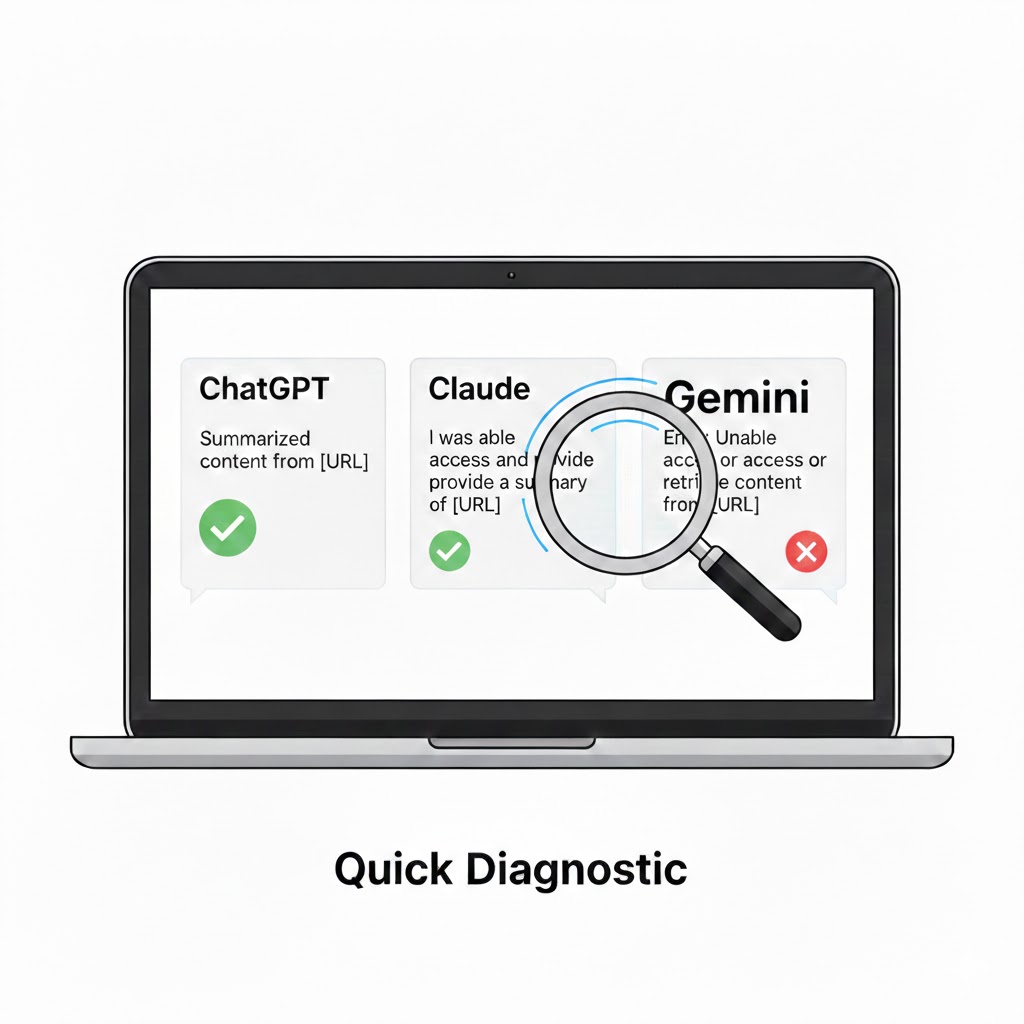
Create a new page on your site, or pick an existing one you want indexed. Then open ChatGPT, Claude, Perplexity, and any other LLM you care about. Ask each one to summarize or cite that specific URL.
Watch what happens. Many LLMs show their reasoning process or “thinking” output. Look for error messages like “Failed to fetch,” “Unable to access,” “The page returned an error,” or “I couldn’t retrieve the content.” These are your red flags.
If one platform can access your page but another can’t, you’ve already narrowed down the problem. Maybe your server is blocking specific user agents. Maybe your firewall rules target certain IP ranges. The diagnostic tells you where to look.
If multiple platforms fail, you likely have a broader access issue at the server or CDN level. That’s what the rest of this guide addresses.
I tested this out on a few clients sites over the past months and found that results from LLM platform to platform can be mixed. The can vary depending on the website host you use, as well as the security, and the caching and optimization tech stack in use. This can sometimes symptomatically presents itself as a lack of information about the brand entirely, or where the LLM pulls information from out-of-date information or shallow descriptions from third-party sources.
Prompt: Please review this page URL and summarize the details found there. Do not reference any other material about it and let me know if you are unable to read it. Only use this page URL: [paste your link here]
Robots.txt: Don’t Accidentally Lock the Door
The first checkpoint is your robots.txt file.
If you block crawlers, they don’t crawl. If they don’t crawl, they don’t index. If they don’t index, you don’t exist to them.
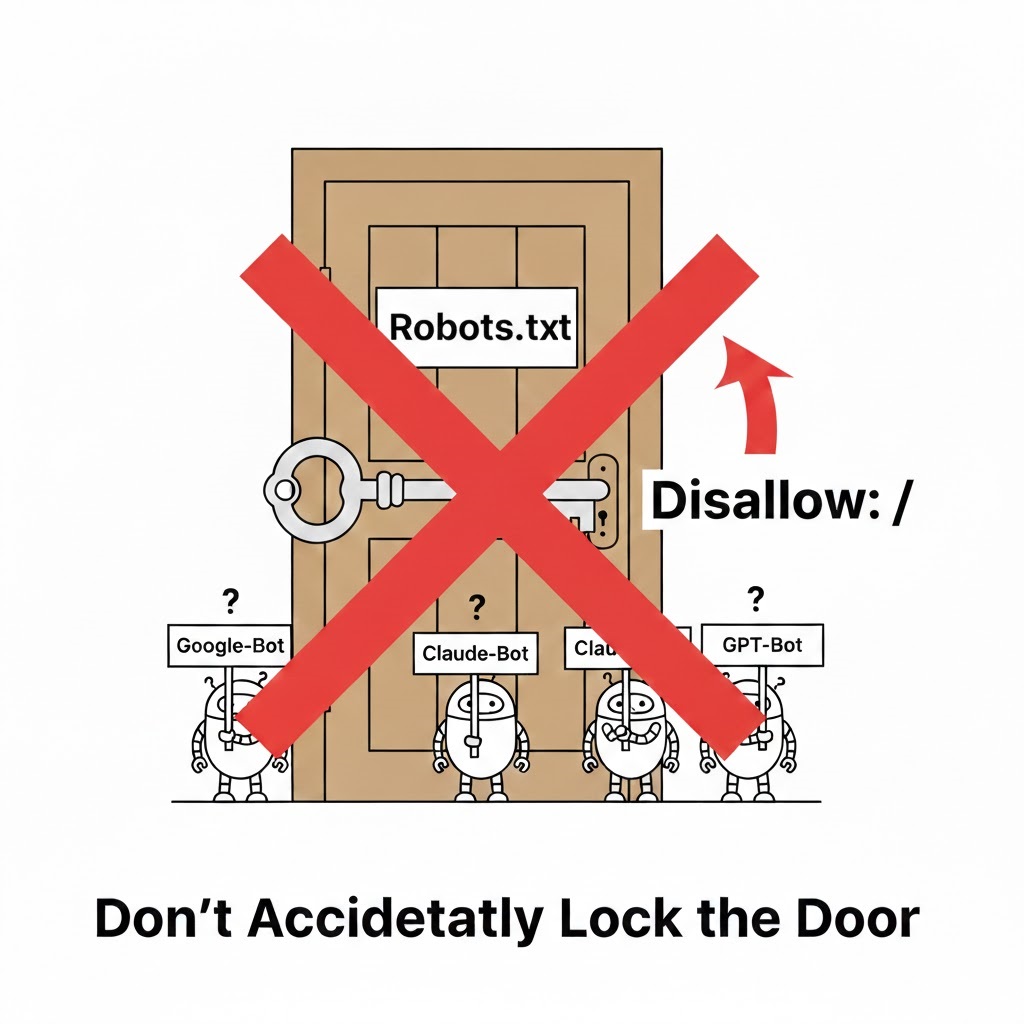
You need to confirm that you’re not disallowing user agents used by AI crawlers, you’re not using blanket Disallow: / rules that unintentionally affect them, and you’re not blocking unknown or generic bots that LLM platforms rely on.
Most sites never look at this file again after launch. That’s how you silently disappear from entire ecosystems.
Server-Level Blocking Is The Invisible Killer
Even if robots.txt is perfect, your server can still shut the door.
Firewalls, WAFs, CDN rules, rate limits, and security plugins can all block IP ranges, flag unknown bots, or auto-ban “non-browser” behavior. Which is exactly how many LLM crawlers operate.
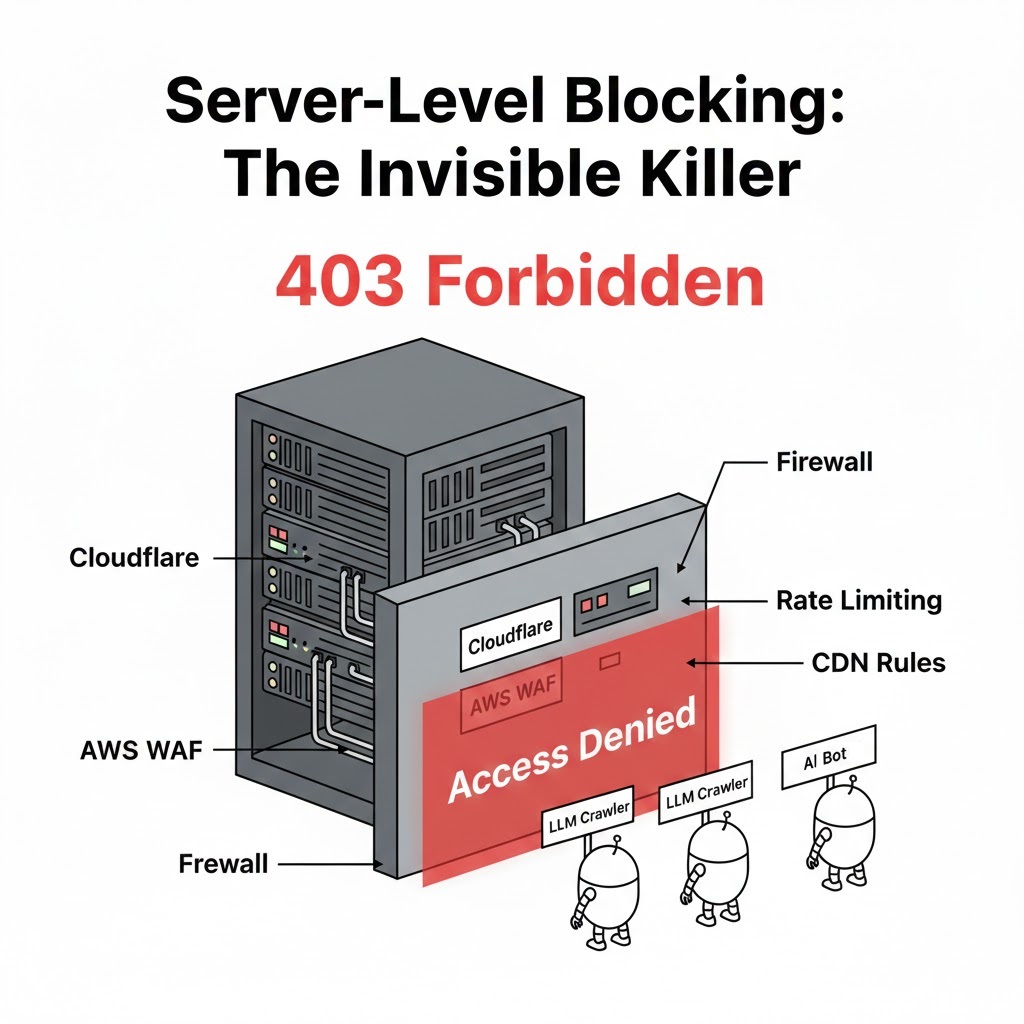
So you need to audit your IP blocks, geo-blocking settings, bot mitigation rules, and managed security services like Cloudflare, Sucuri, or AWS WAF.
If an LLM crawler hits your server and gets a 403, it’s game over. No indexing. No fresh citations. No presence.
Know Who Is Actually Crawling
This isn’t guesswork but the lines are sometimes a little blurry which not everyone is talking about. Each major platform publishes documentation on their crawler names, their robots.txt behavior, and their IP ranges or infrastructure patterns. Some have been known to not always follow their own published rules. (More on that below)
Find out if OpenAI (ChatGPT) can crawl your site
OpenAI operates three primary user agents. GPTBot crawls content for model training. OAI-SearchBot indexes pages for ChatGPT’s search features. ChatGPT-User fetches content when users request information in real-time. OpenAI publishes their IP ranges at openai.com/gptbot.json, openai.com/searchbot.json, and openai.com/chatgpt-user.json for verification.
https://platform.openai.com/docs/bots
Find out if Claude (Anthropic) can crawl your site

Anthropic uses ClaudeBot for training data collection, Claude-User for fetching pages in response to user queries, and Claude-SearchBot for search indexing. Anthropic does not publish fixed IP ranges, as they use service provider public IPs. They respect robots.txt directives and support the non-standard Crawl-delay extension. They also honor anti-circumvention technologies and will not attempt to bypass CAPTCHAs.
Find out if Perplexity can crawl your site

Perplexity uses PerplexityBot for index building and Perplexity-User for human-triggered visits when users click citations. They publish their IP ranges at perplexity.com/perplexitybot.json and perplexity.com/perplexity-user.json. Note that Perplexity has faced criticism for crawling behavior that doesn’t always match their documentation, so monitor your logs carefully. Reading between the lines on this: the bot might get accidentally blocked due to security or plugins because it doesn’t always follow conventional behavior.
https://docs.perplexity.ai/guides/bots
Find out if Gemini (Google) can crawl your site
Google uses Google-Extended as a separate user agent token from regular Googlebot. This gives you control over AI training versus search indexing. Blocking Google-Extended does not impact your site’s inclusion or ranking in Google Search, but may affect visibility in Gemini’s grounding features. Google-Extended doesn’t have a separate HTTP user-agent string; crawling is done with existing Google user agents and the robots.txt token is used in a control capacity.
https://developers.google.com/search/docs/crawling-indexing/google-common-crawlers
Find out if Grok (xAI) can crawl your site
xAI has documented user agents including GrokBot, xAI-Grok, and Grok-DeepSearch, but webmasters report rarely seeing these in practice. Some reports indicate Grok’s browse tool uses disguised user agent strings that appear as standard mobile Safari traffic. xAI has not published comprehensive crawler documentation comparable to other platforms at this time.
I found this deep study into bot behavior on the topic fascinating. It wouldn’t be the first time we’ve seen big organizations thwarting common crawling and retrieval best practices. The Great Masquerade: How AI Agents Are Spoofing Their Way
Building Your Checklist
For each platform, document what user agents they use, how they respect robots.txt, what IP ranges or cloud providers they operate from, and how to avoid blocking them at the server or firewall level. That way everyone on your team can be as clear about the objectives as possible.
This becomes a practical, technical checklist, not an opinion piece.
Server Protocols and Crawl Accessibility
Beyond blocking, you also need to ensure your server behaves correctly when crawlers arrive.
Check for clean HTTP status codes. No soft 403s that return a 200 with an error page. No broken 200s that serve empty content. LLM crawlers need unambiguous signals about what content is available.
Avoid JavaScript-only walls for critical content. OpenAI’s crawlers, ClaudeBot, PerplexityBot, and others do not execute JavaScript. They see only what’s present in the initial HTML. If your page requires JS execution to render text, these crawlers will see an empty page. Server-side rendering or static HTML fallbacks are essential.
Remove authentication gates from public content. Crawlers don’t log in. They don’t have session tokens. Gated content is invisible content.
Watch out for aggressive bot challenges. CAPTCHAs, JavaScript challenges, and fingerprinting traps will stop LLM crawlers cold. They don’t solve puzzles. They don’t pass behavioral challenges. They don’t wait politely. They either get the content, or they don’t. Often this means skipping the gate in favor of going after the PDF directly. Other content may not be readily consumed such as embedded video, making transcriptions present on the page they are embedded on much more valuable.
Be Objective About the AI Search Shift
The last layer is mindset.
Right now, people are emotional about AI. Some are overly optimistic. Some are aggressively defensive. Most aren’t thinking clearly.

The reality is that search is changing, retrieval-augmented generation is becoming normal, and citation-based answers depend on crawlable, accessible sources.
For a broader look at how these changes fit into the overall search landscape, I covered the current state of SEO in 2026 and what’s actually changed versus what’s just noise.
You don’t need hype. You don’t need panic. You need infrastructure that doesn’t block the future by accident.
The Core Principle
This entire strategy boils down to one brutally simple idea: if LLMs can’t technically reach your site, no amount of “AI optimization” matters.
Before prompts. Before content formats. Before schema. Before thought leadership.
Make sure the door is open.
Get the plumbing right first. Then, and only then, worry about how the AI reads what’s inside.
Once your technical access is sorted, the next step is understanding how to rank in Google AI Overviews—that’s where content structure and topical authority come into play.